Overview
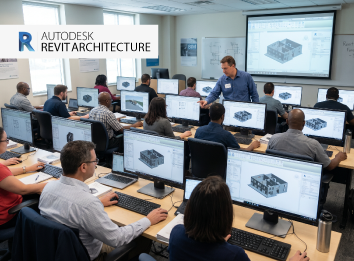
Become an expert in handling Revit Architecture, a powerful software used to design and create precise 3D and 2D drawings with the Revit Architecture Course. Designed for architects, designers, and BIM professionals, Revit Architecture training will provide you with the skills to create smart architectural designs. Join Revit Architecture classes today to create designs with confidence.
Summary of Revit Architecture Classes
Overview
The Revit Architecture certification course helps participants master their skills in BIM to create and modify construction documents, schedules, and drawings for building projects. The course provides both theoretical knowledge and hands-on training.
Objectives
The objectives of the Revit Architecture full course are to train learners in project setup, rendering, and documentation. It aims to improve the accuracy and precision of architects, engineers, and construction professionals and train them in 3D building modeling.
What you’ll learn?
The Revit course architecture covers all aspects from basic to advanced, including the
- Development of floor plans and elevations
- Creation of schedules and sheets
- Creation of families
- Visualization techniques
- Project coordination
In-depth Course Syllabus for Revit Architecture Certification Course
Revit Architecture course syllabus includes the following:
Have an overview of Revit Architecture software, its user interface, workspace, and navigation tools.
Become familiar with templates and the basic drawing and editing tools in Revit.
Understand the basics of levels, grids, views, and architectural components.
Learn about file management and project organization in Revit.
Find out how to create and modify grids for different heights.
Understand the creation of grid lines, adjusting grid spacing, and managing levels.
Learn about the usage of grids for the placement of building elements and the alignment of walls and columns.
Study the alignment of walls, columns, and components. Know how to manage levels and grid visibility.
Have an overview of the different types of walls and the creation of basic architectural walls.
Understand how to set up the properties, thickness, and materials of walls. Find out how to draw walls using Revit tools, such as line and pick
Learn about the creation of interior and exterior walls. Study how to edit wall profiles and modify wall heights.
Study how to add openings, use offset tools, apply wall finishes, and manage wall visibility
Study the creation of floors using Revit tools like sketch and boundary.
Learn how to set floor thickness, modify floor boundaries, and create openings in floors.
Understand how to attach floors to levels, use slope settings, edit floor structure, and create shaft areas.
Know how to manage floor visibility in views and apply finishes.
Have an overview of different varieties of ceilings and roofs, and the creation of ceilings.
Study how to modify ceiling patterns and create custom ceilings.
Understand the creation of roofs by various methods and the setting of roof slopes.
Find out how to edit roof boundaries, add roof openings, and set levels.
Understand how to create various project views in Autodesk Revit Architecture.t measurements.
Learn about the navigation and organization of views in the browser. Study the adjustment of scale, visibility setting, and detail level.
Know the creation of duplicate views and the application of view templates.
Study the management of annotations and the creation of sections.
Learn about rendering in Revit Architecture, the application of materials, the setting of lighting, and the editing of realistic textures.
Find out how to create camera views, adjust shadows, set backgrounds, and generate high-quality renderings.
Study the usage of walkthrough and visualization tools, and the creation of presentations and sheets.
Understand the export of rendered images.
Understand the creation of schedules for doors, windows, and materials. Find out how to customize schedule fields.
Learn about the addition of quantity to schedules, format and manage schedule appearances, and update them automatically.
Have an overview of detailing components and tools. Study the creation of detail views, detail lines, symbols, and construction details.
Find out how to organize details on sheets and perform accurate scheduling.
Study the best practices to be followed for precise and professional detailing.
Essential Skills You Will Acquire
Key skills gained include
- Skills in architectural drafting, design, and modeling
- Techniques in 3D architectural modeling
- Skills in presentation and visualization
- Interpretation of technical drawings
- Skills in coordination and management of workflow
- Project execution, presentation, and project documentation techniques
Software Proficiency
- Autodesk Revit Architecture software
- Tools for managing BIM workflow
- Documentation tools
- Editing tools
Tools and Software Included
- Autodesk Revit, the primary tool for BIM modeling
- AutoCAD to import and export details
- Dynamo used for visual programing
- Editor tools
- Annotation and detailing tools
- Printing tools
Career Scope in Autodesk Revit Architecture Course
Reasons to pursue a career in Revit Architecture Software
Revit Architecture training in Qatar is important for architecture, interior design, and construction professionals who are interested in improving their skills in creating precise models and implementing better project coordination. After completing the Revit Architecture Course, learners can pursue a lot of job opportunities and gain an edge over others in the competitive industry.
Industry Relevance and Job Opportunities
Job roles after completing the Revit Architecture Course in Qatar include Revit technician, BIM coordinator, BIM modeler, project designer, etc. Professionals with knowledge in Revit Architecture are in high demand in construction companies, the design industry, architecture firms, interior design companies, and infrastructure projects.
Who Can Enroll?
Professionals in the architecture, construction, design, and infrastructure industries can enroll in the course to upgrade their skills. It is also for freshers who are interested in architectural design and want to launch a career in Revit Architecture. The course is ideal for students in civil engineering, aspiring civil engineers, and BIM modelers
Why Choose Us?
Engineering Design Qatar is popular for its short-term courses, such as Revit MEP, HVAC design, AutoCAD training, and many more, to upgrade the skills of professionals. You should join the Autodesk Revit Architecture Certification Course because of
- Comprehensive syllabus
- Trained faculty
- Flexible schedules
- Career support and placement guidance
- Globally recognized certificate
FAQ
It is a powerful BIM software used to create smart 3D models. It is helps the users by updating all changes automatically.
Yes, it is in high demand in Qatar because of the rapidly growing modern construction, infrastructure, and design industries that are dependent on BIM workflows.
Yes, you can get a job immediately, as the demand for professionals with Revit Architecture skills is high. You can pursue roles such as BIM modeler, BIM technician, Architectural designer, etc.
The salary varies depending on the location, company rules, role, and experience of the professional.
Basic knowledge of BIM, architectural drawings, and construction helps, but the course covers all basics. So, it is suitable for beginners too.
Yes, it is valuable because the construction, infrastructure, and architecture industries in Qatar are gradually moving towards BIM technology. Moreover, many complex projects are going on.
The course includes all concepts, including wall creation, floor plans, views, details, schedules, rendering, documentation, and practical training.
Ratings & Reviews
4.5
Rated 4.6 out of 5 Rating
Featured review
I am a civil engineer. I wanted to improve my skills in 3D modeling. The course served the purpose and gave me the confidence to create architectural models.
The trainers were too good, and the practical training was excellent. I am happy that I joined the course and will recommend it to my friends and colleagues.
I could understand even the advanced concepts clearly. Being a student in architecture, I was delighted to learn floor planning, rendering, wall creation, and 3D modeling.